Add an OpenShift (OCP) cluster
PDS supports clusters on OpenShift Container Platform (OCP).
Prerequisites
PDS account Admin privileges
A supported Kubernetes cluster with Portworx Enterprise installed on it.
Helm chart version 3.2.0 or newer
Prepare your cluster for installation
In the Settings → Deployment Targets page → select the Add Deployment Target button.
From the How to Add Deployment Targets window, select the OpenShift tab.
Copy the
helm installcommand and paste it into a secure text editor.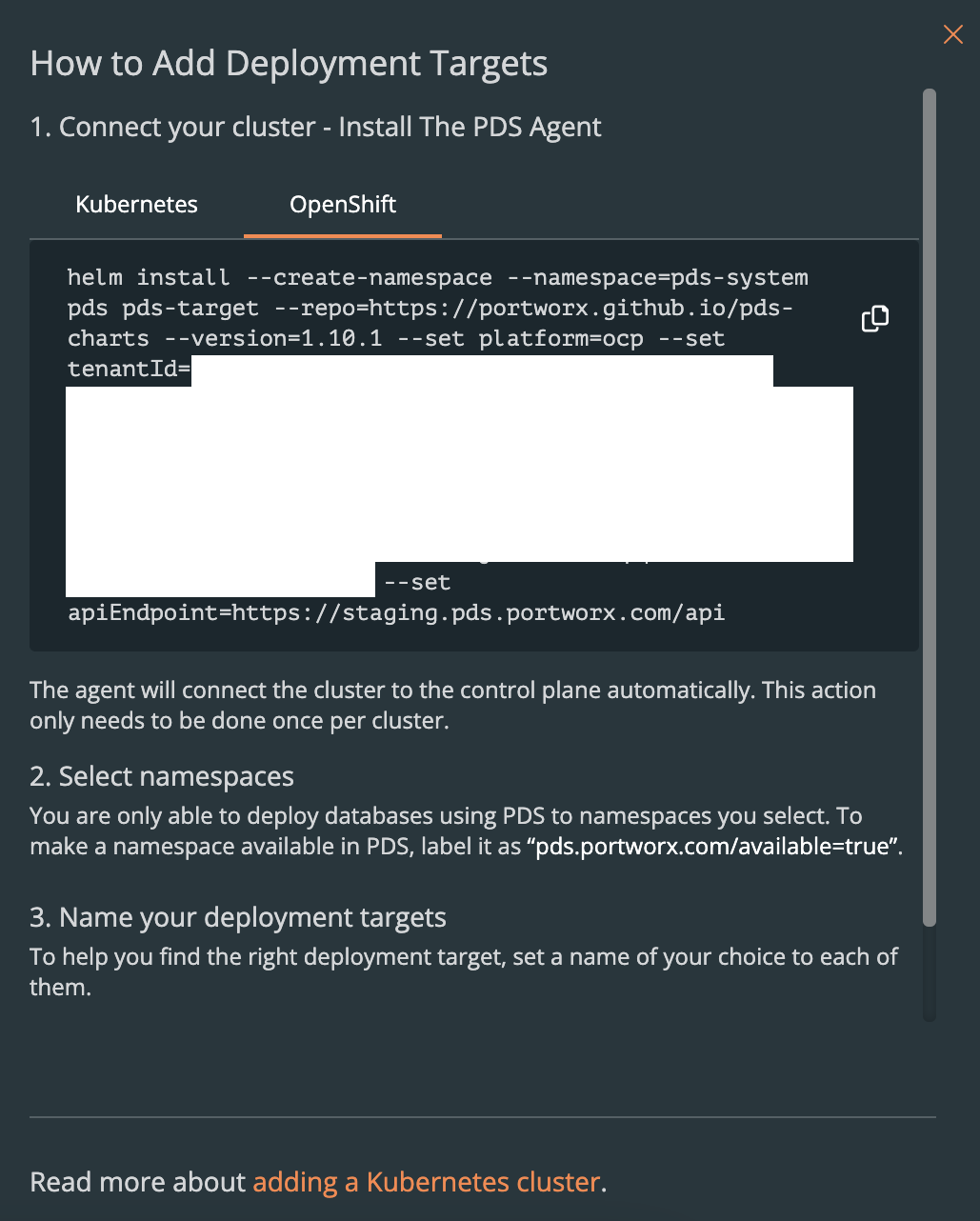
Do not modify the helm install command.
Wait for the PDS agent to register the new deployment target in the control plane. Once successful, the status will show as a green check mark.
Prepare namespaces for deployment
After adding a target cluster to PDS, you must make any namespaces you intend to use with PDS available to it. Perform this task for each namespace you want to create and add:
Create a
NAMESPACEenv var with the namespace you want to create or add:export NAMESPACE=docs-testCreate the namespace if it doesn’t already exist:
kubectl create namespace $NAMESPACELabel the namespace:
kubectl label namespaces $NAMESPACE pds.portworx.com/available=true --overwrite=true
Once successful, the No namespaces available error message will disappear.