Add Google cloud account
Perform the following steps to add a GCP cloud account to Portworx Backup:
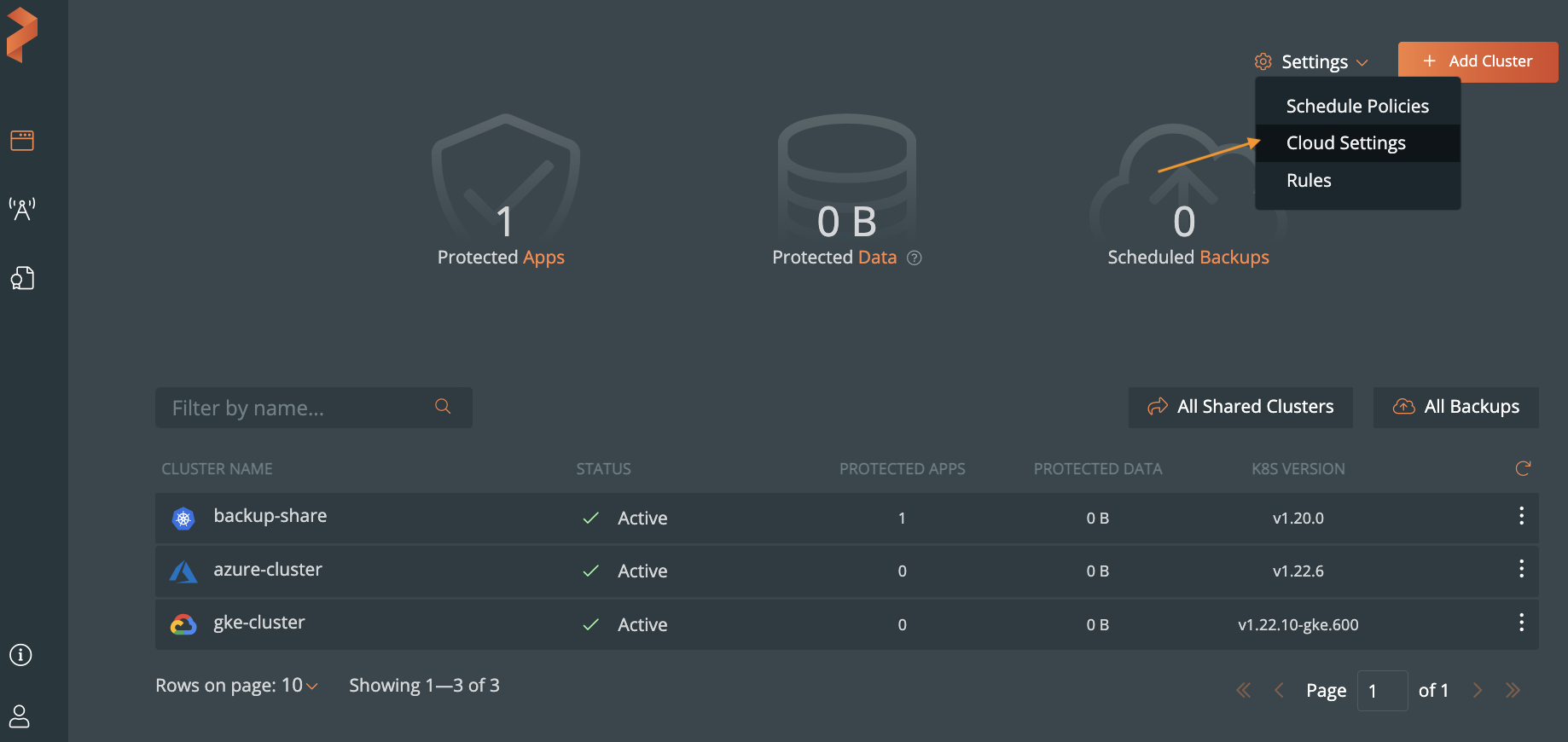
From the home page, select Settings, Cloud Settings to open the cloud settings page.
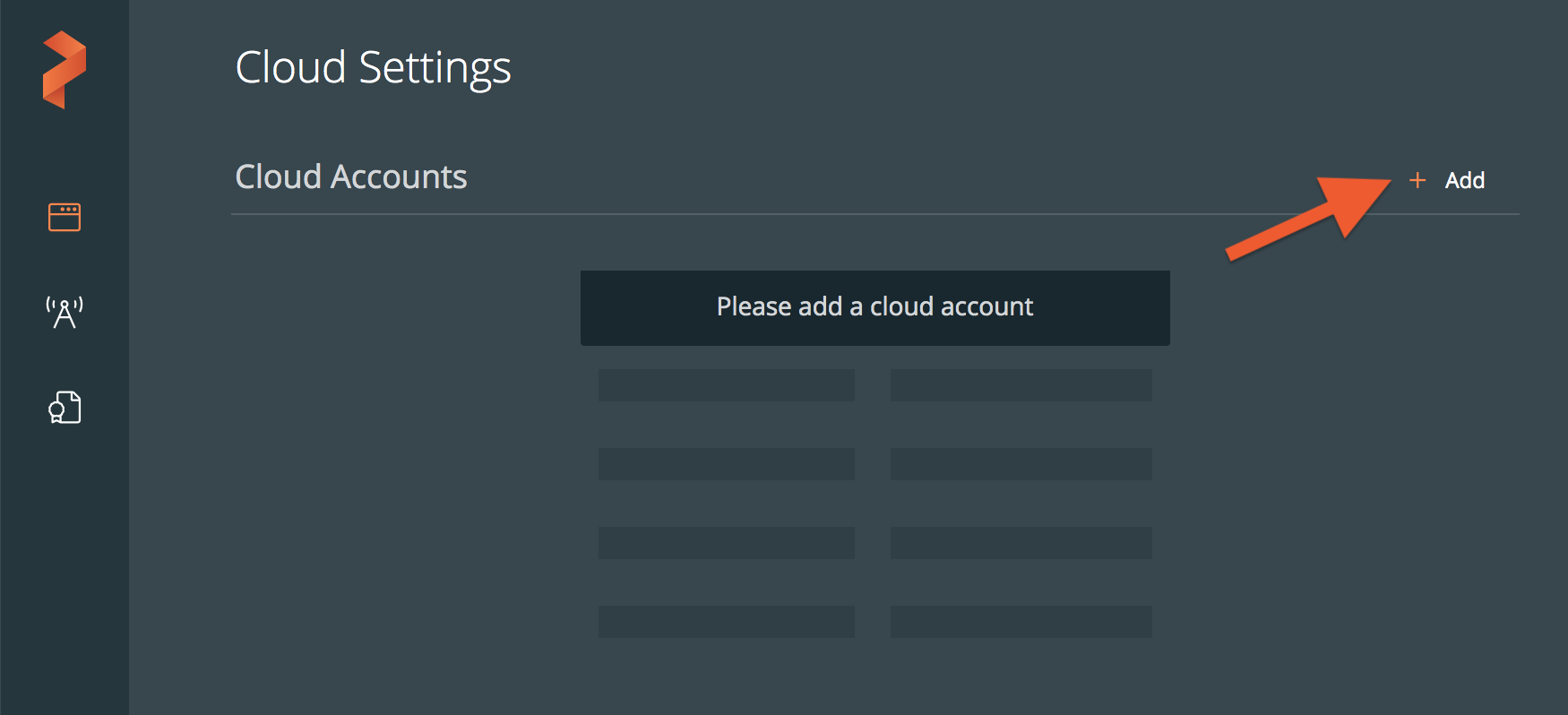
Select Add New.
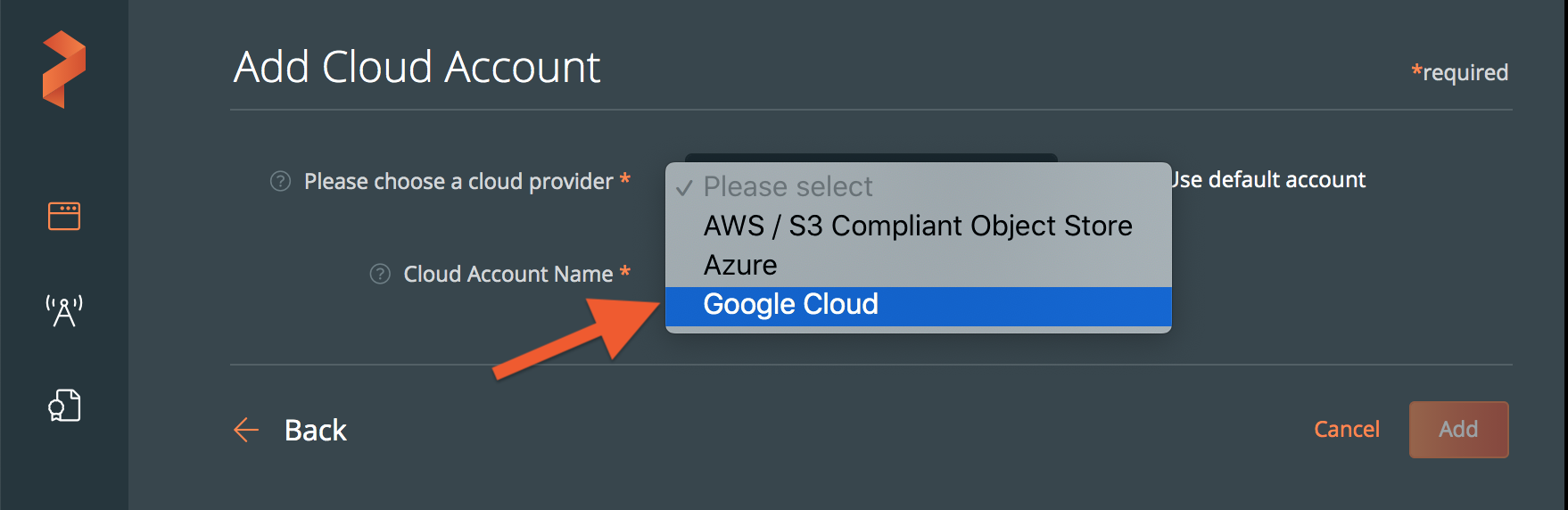
Choose Google Cloud from the drop-down list:
Populate the fields in the Add Cloud Account page:
- Create a descriptive account name
- Paste the content of your JSON key for the service account associated with your GKE cluster, or select the Browse button to upload it from a file.
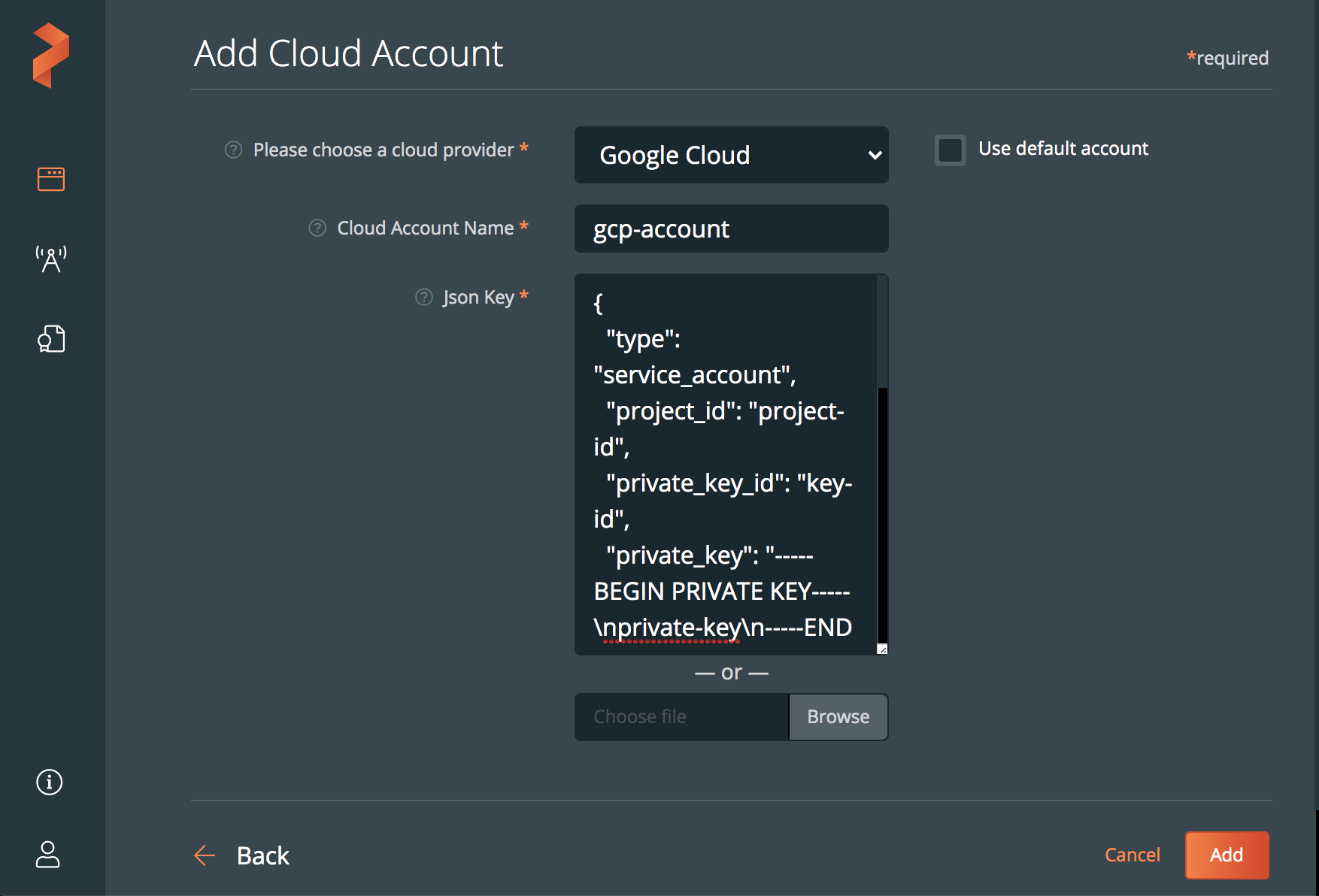
Click Add.