Monitor Portworx with Sysdig
Sysdig is a monitoring platform that allows you to monitor your Portworx cluster by running Sysdig agents on each node of your cluster.
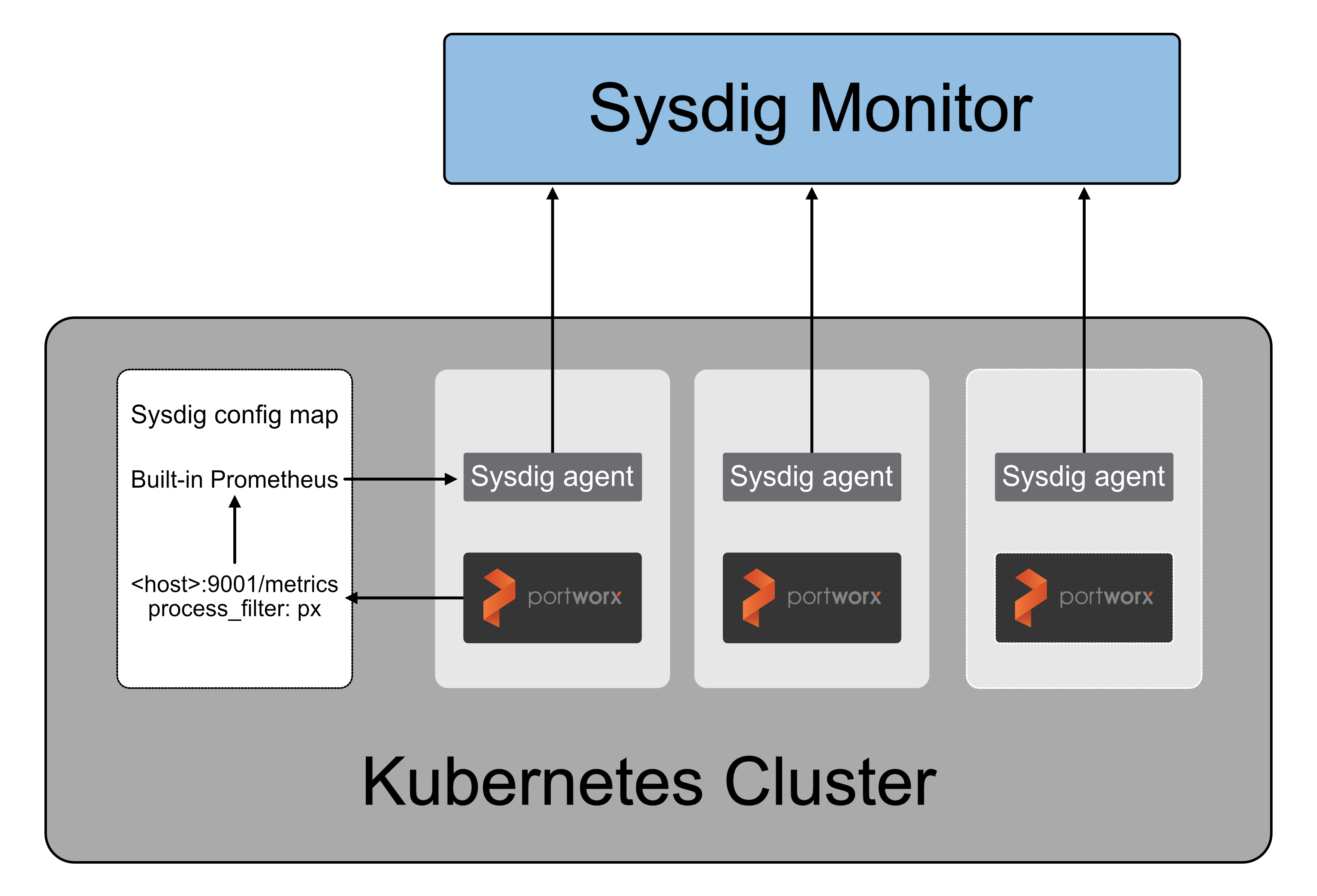
In order to use Sysdig with Portworx, you must deploy both products onto your Kubernetes node.
Prerequisites
- You must have a Kubernetes cluster with Portworx installed on it
Deploy Sysdig on Kubernetes with Portworx
Follow the Kubernetes Agent Installation Steps in the Sysdig documentation to deploy the following YAML files:
- sysdig-agent-clusterrole.yaml
- sysdig-agent-configmap.yaml
- sysdig-agent-daemonset-v2.yaml
Once you've deployed Sysdig, you must edit the
Sysdig-agent-configmap.yamlfile to enable Prometheus and configure thepxprocesses to expose the metrics. Add the following fields to theSysdig-agent-configmap.yamlfile:...
prometheus:
enabled: true
interval: 10
process_filter:
- include:
process.cmdline: "px"
conf:
port: 9001
path: "/metrics"
...