Add GKE clusters
Prerequisites
Installation prerequisites should be met
Install Stork
Add GCP cloud account to Portworx Backup
In GCP, create a GCP role with the following permissions:
container.*.getcontainer.*.listcompute.snapshots.*compute.disks.*storage.*container.secrets.*container.thirdPartyObjects.*container.thirdPartyResources.*Associate this new GCP role to a service account used on the cluster where you want to install Portworx Backup. Save the JSON key for this service account for future reference. Also, select this service account in the node security settings while deploying the cluster where you want to install Portworx Backup.
Generate Kubeconfig.
Generate Kubeconfig for GKE clusters
To add a GKE cluster in Portworx Backup, you need kubeconfig details. You can fetch kubeconfig details either through Cloud Shell or gcloud CLI.
Kubeconfig with Cloud Shell
Run the below commands in Cloud Shell to get kubeconfig data:
Disable the new binary plugin for authentication:
export USE_GKE_GCLOUD_AUTH_PLUGIN=FalseFor more information, refer kubectl authentication in GKE.
Connect to your GKE cluster:
gcloud container clusters get-credentials <gke-clustername> --zone <zone-name> --project <project-name>Get the kubeconfig for your GKE cluster:
kubectl config view –-flatten –-minnifyAbove steps fetch the required kubeconfig information. In the kubeconfig details, please make sure the user section holds data related to
auth-providerand not that ofexec.A sample output (fragment from kubeconfig details) from users section with auth-provider related data:
users:
- name: <GKE-cluster-name>
    user:
        auth-provider:
        config:
            access-token: <access-token>
            cmd-args: config config-helper --format=json
            cmd-path: /root/gcloud/google-cloud-sdk/bin/gcloud
            expiry: "2023-03-28T13:05:32Z"
            expiry-key: '{.credential.token_expiry}'
            token-key: '{.credential.access_token}'
        name: gcp
Kubeconfig with gcloud CLI
Install the gcloud CLI, refer installation instructions for more details.
Initialize gcloud CLI:
gcloud initRun the commands listed in step 1, 2, and 3 in Kubeconfig with Cloud Shell topic on your gcloud CLI to obtain kubeconfig details.
Add the cluster to Portworx Backup
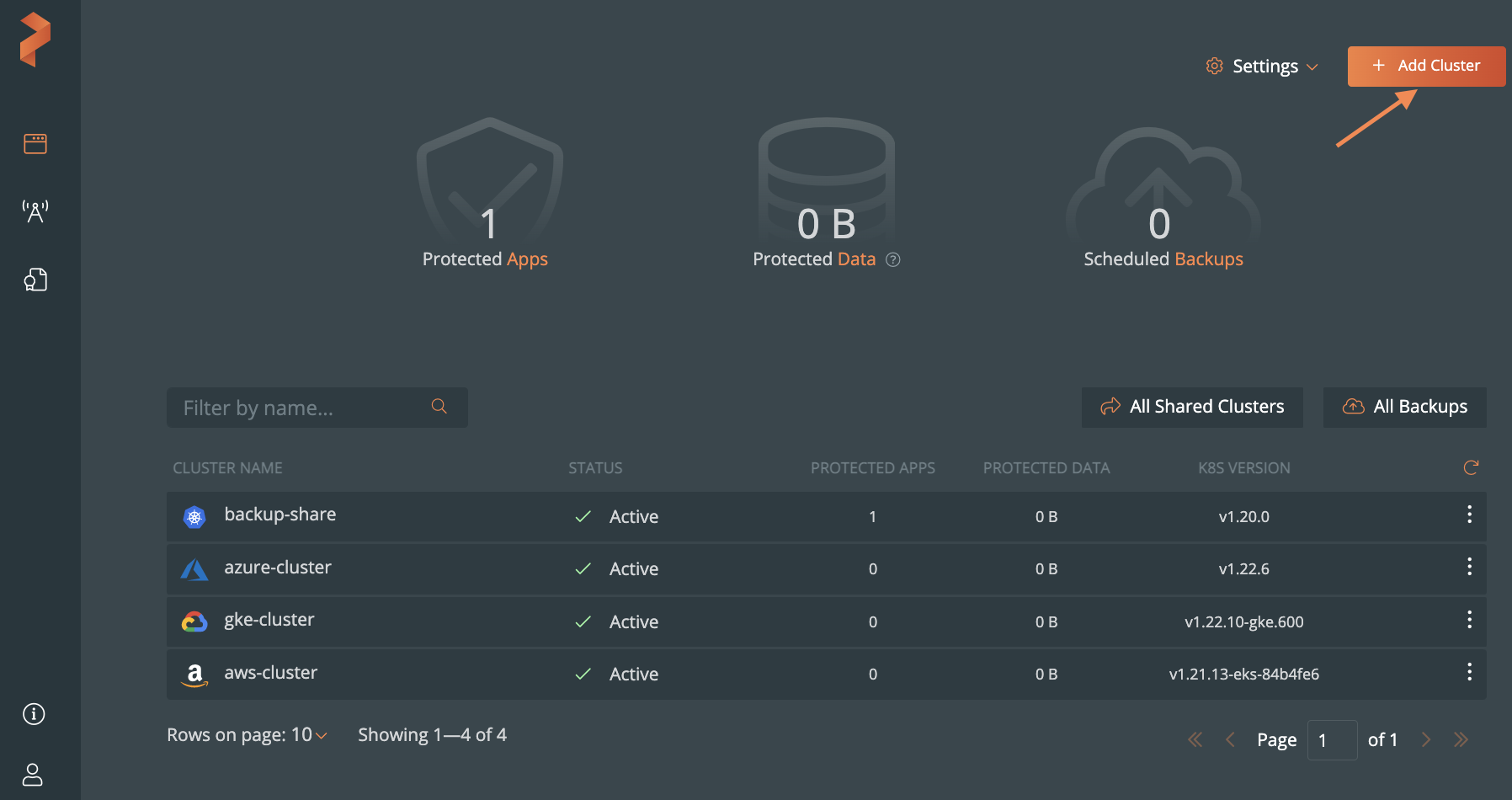
From the home page, select Add Cluster:
In the Add Cluster page, under Select Kubernetes Platform, select GKE and then enter the cluster details:
- The name of the cluster
- Retrieve the Kubeconfig from your cluster and paste it in the Kubeconfig text frame or click Browse to upload it from a file.
- From the Cloud Account dropdown, select your GCP cloud account.
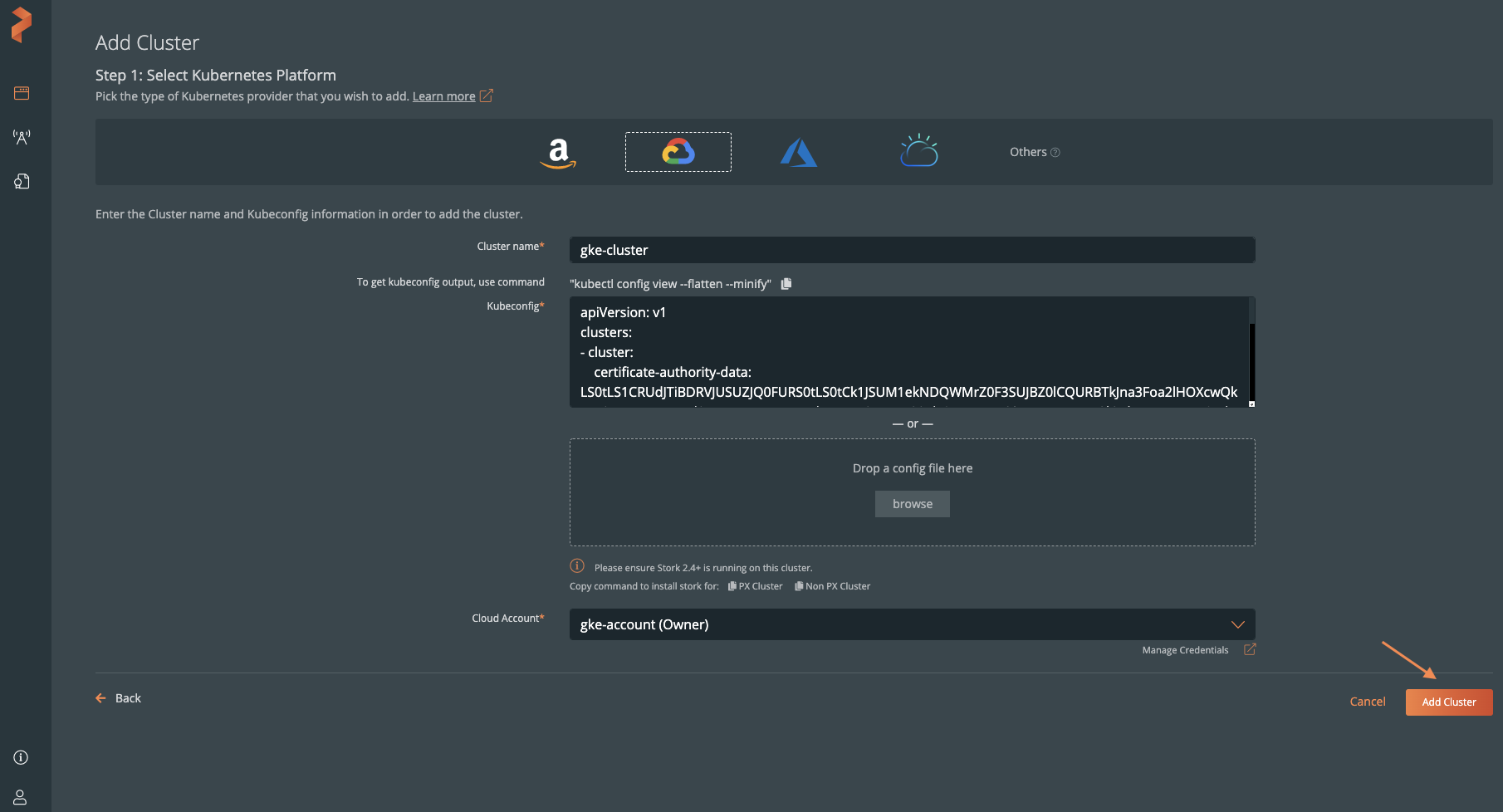
Click Add Cluster.