Add OCP clusters
Prerequisites
Installation prerequisites should be met
Stork installed on all application clusters
An OCP cluster available over network
Add OCP cluster to Portworx Backup
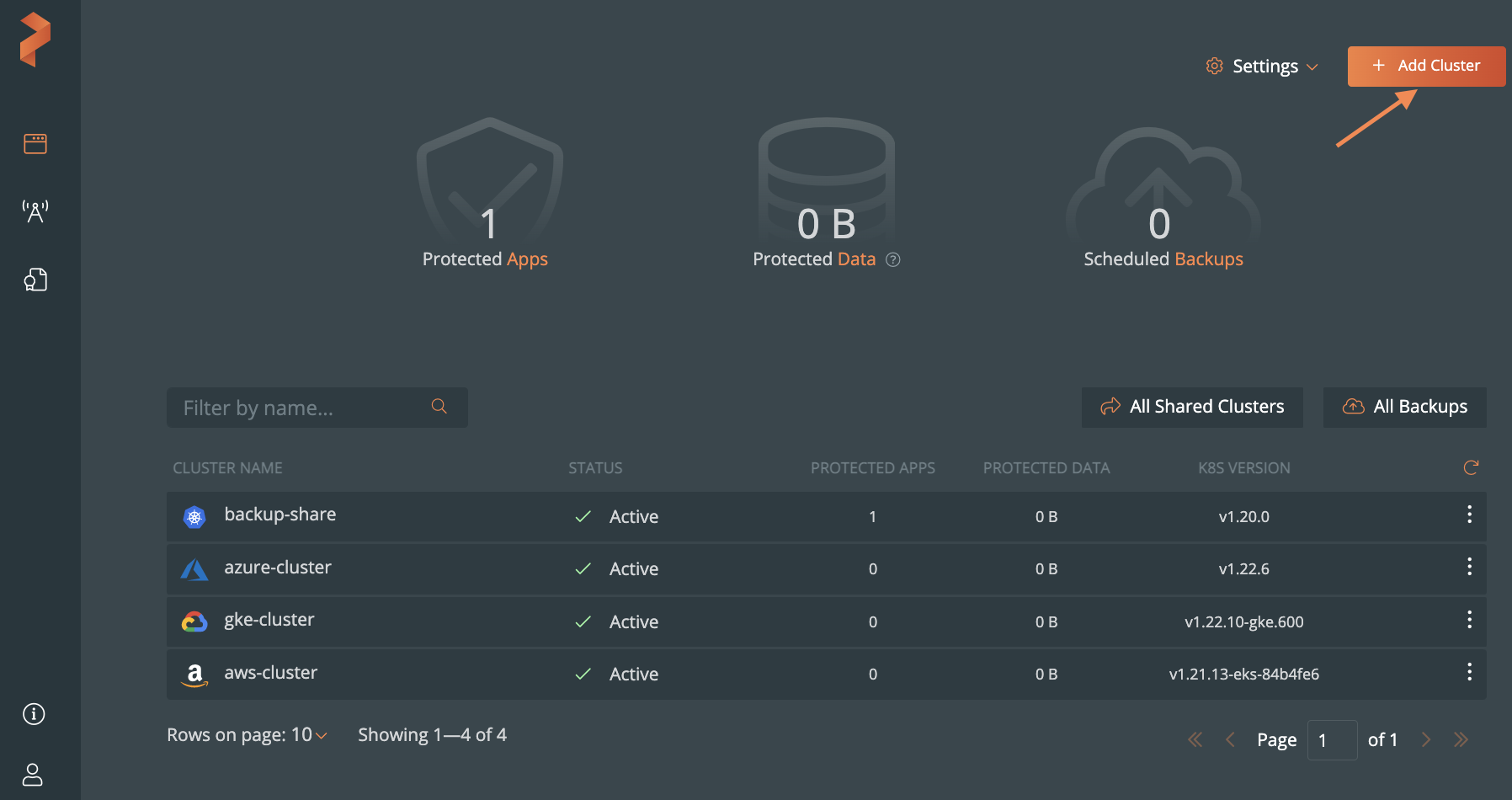
From the home page, select Add Cluster:
In the Add Cluster page, under Select Kubernetes Platform, select Others and then enter the cluster details:
- The name of the cluster
- Retrieve the Kubeconfig from your cluster and paste it in the Kubeconfig text frame or click Browse to upload it from a file.
- Select the Others option from the Kubernetes Service radio group.
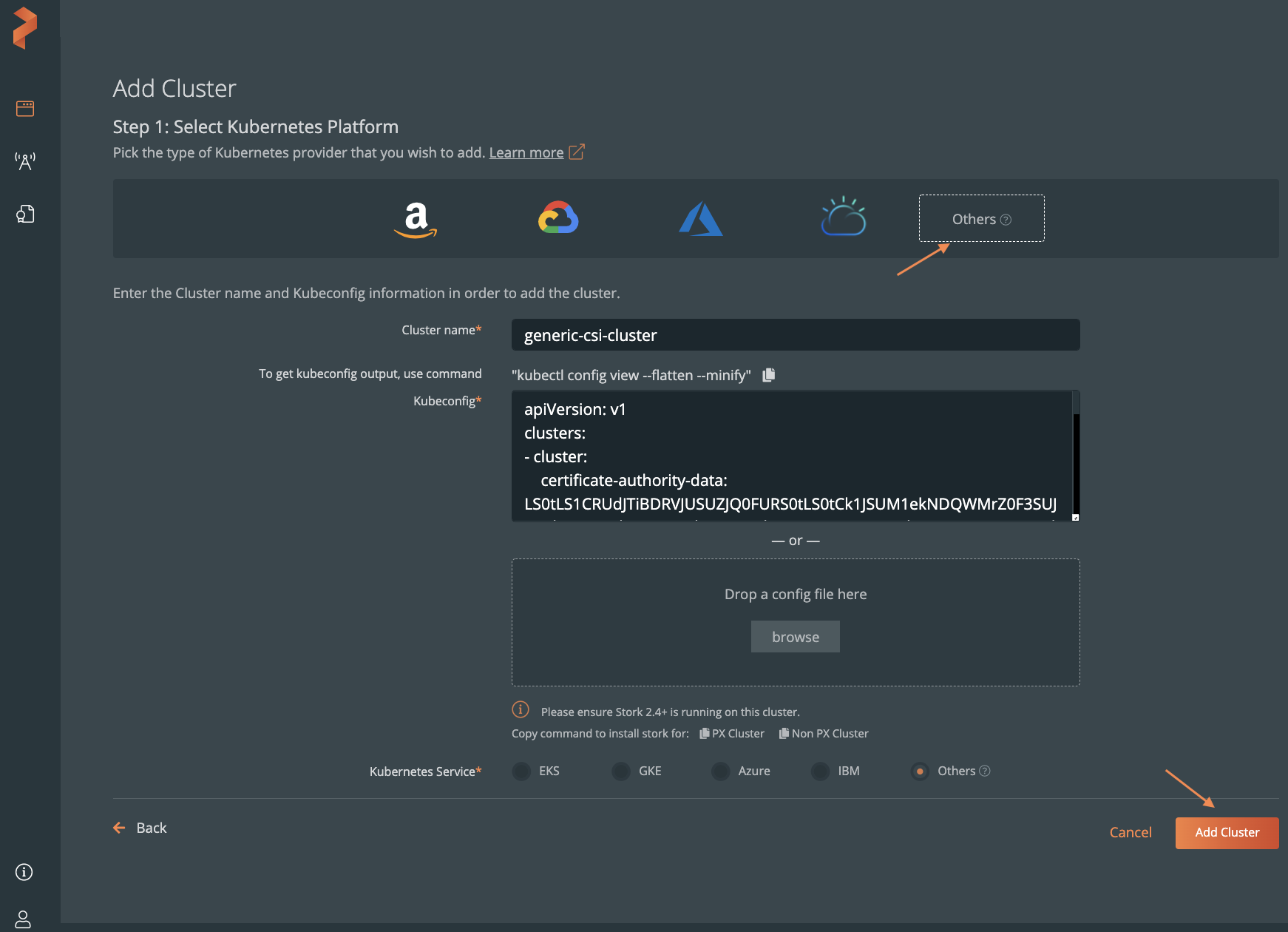
Click Add Cluster.